Traffic Sources
One ad network, its currency, and which of its macros fill which field.
A traffic source describes one ad network: which network it is, the currency it bills in, and its
vocabulary. Meta calls the campaign {{campaign.id}}, TikTok calls it __CAMPAIGN_ID__ and Google
calls it {campaignid}. The traffic source says which of those macros fills which EventsIQ field, so
a lead carries the same fields whichever network it came from.
You'll find them under Acquire → Traffic sources.
Every campaign and every integration picks a traffic source. Most accounts need one per network, for example one for Meta and one for Google. Make a second one for the same network only if it bills in a different currency.
The list
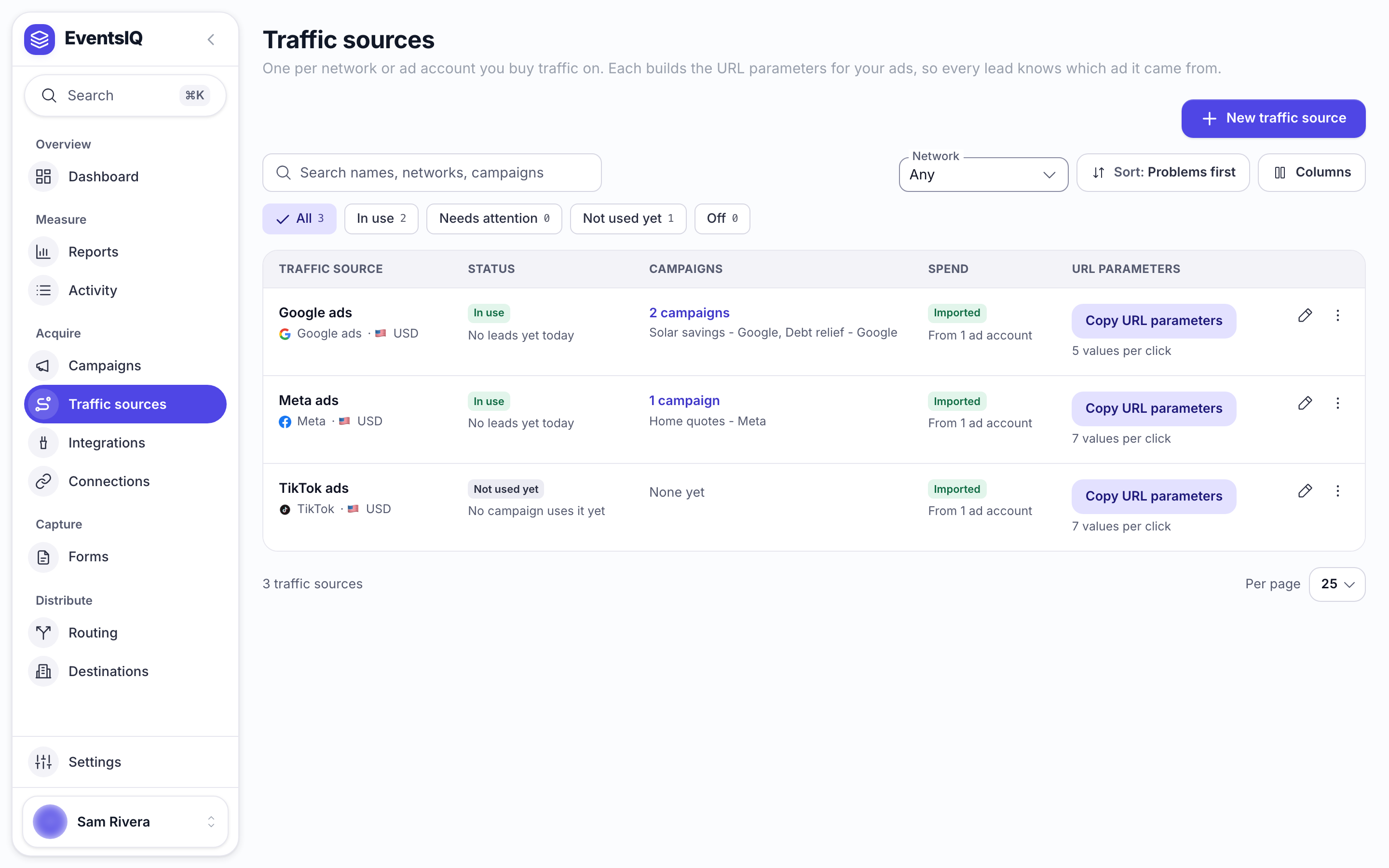
| Column | What it tells you |
|---|---|
| Traffic source | Its name, with the network's icon and the currency it reports spend in |
| Status | In use, Not used yet, Needs attention or Off, and its last lead |
| Campaigns | How many campaigns use it. Click to see them |
| Spend | What its campaigns have spent |
| URL parameters | Copy URL parameters once there is something to copy |
Updated can be shown from Columns.
Creating a traffic source
Click New traffic source.
| Field | What to put |
|---|---|
| Name | Something you will recognise, for example Meta - Solar US |
| Network | The ad network. Picking it fills the Parameters table with that network's macros |
| Reporting currency | The currency the ad account bills in. Spend is stored exactly as the network reports it, never converted |
| Enabled | Turn off to stop offering this source in pickers without deleting it |
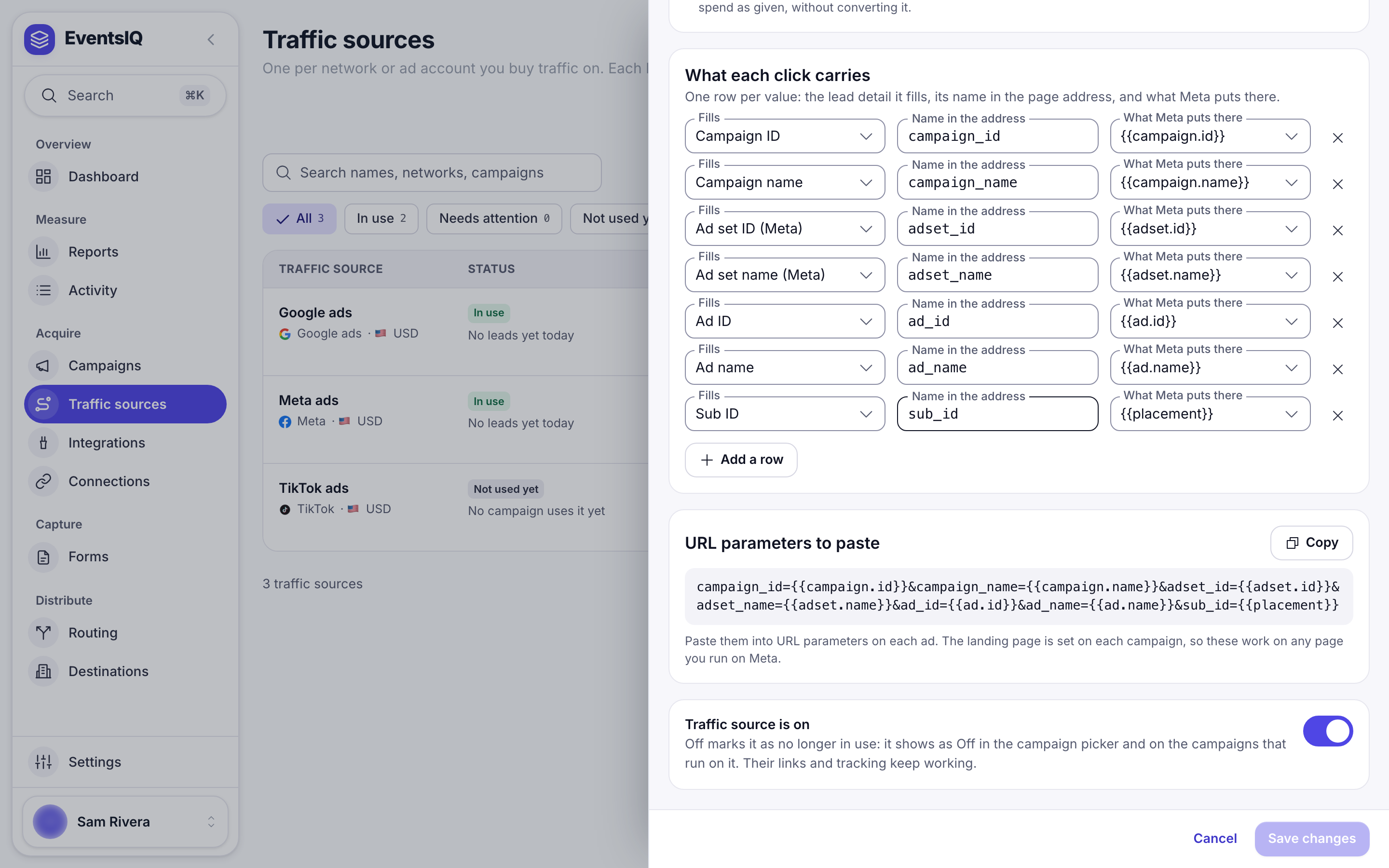
Parameters
Each row has three parts:
| Column | What it is | Example |
|---|---|---|
| Fills | The EventsIQ field the value lands in | campaign_id |
| URL parameter | What the landing page address calls it | campaign_id |
| Network macro | What the network replaces with the real value when someone clicks | {{campaign.id}} |
The Network macro box suggests the network's own macros, and you can type anything else. Click Add row for more, or the bin to remove one.
Under the table, URL parameters shows the finished string, for example
campaign_id={{campaign.id}}&adset_id={{adset.id}}&ad_id={{ad.id}}, with a Copy button. You will
rarely need it directly, because every campaign's tracking URL already includes it.
The campaign id is what joins spend to leads in Reports. Rename or remove other rows as you like, but keep the one that fills campaign_id.
What each network starts with
| Network | Rows it fills in |
|---|---|
| Meta | campaign id and name, ad set id and name, ad id and name, and sub_id from {{placement}} |
| TikTok | campaign id and name, ad group id and name, ad id and name, and its click id ttclid from __CLICKID__ |
| Snapchat | campaign id and name, ad squad id and name, ad id and name. Snapchat adds its click id ScCid to the link by itself, so there is no row for it |
| Google Ads | {campaignid}, {adgroupid}, {creative}, the click id gclid from {gclid}, and the keyword as utm_term |
| Microsoft Ads | {CampaignId}, {AdGroupId}, {AdId}, the click id msclkid, and the keyword as utm_term |
| NewsBreak | __CAMPAIGN_ID__ and name, __FLIGHT_ID__ (ad set) and name, __CREATIVE_ID__ (ad) and name, and the click id newsbreak_cid from __CALLBACK_PARAM__ |
| Custom | One empty click_id row for you to fill in |
If you change the Network before editing any rows, the rows switch to the new network's set. Once you have edited them, they are left alone.
Where the parameters go in the ad
Usually you paste a campaign's Tracking URL and never touch these directly. If you ever need the parameters on their own:
- Meta and TikTok: paste them into the ad's URL parameters field exactly as shown.
- Google Ads: paste them into Final URL suffix, or into a tracking template after
{lpurl}?.
Editing and deleting
Changes apply to new clicks and leads from the moment you save. Leads that already arrived keep the values they arrived with. Deleting a traffic source does not change any lead either, but campaigns and integrations that used it need a new one.
Related
- Campaigns: where the traffic source's parameters become a tracking URL.
- Integrations: reading spend in the traffic source's currency.
- How click tracking works: what the parameters are for.