Presets
Reusable rules that decide which destinations see which leads.
A preset is a reusable rule: state is one of TX, FL, AZ, or consent is true and it is a weekday between 9am and 6pm. Presets do not do anything on their own. They become useful when a routing setup pairs one with a list of destinations, which is how a lead from Texas reaches different destinations than a lead from Ohio.
If every lead should go to the same destinations in the same order, skip presets entirely and put your destinations in the routing setup's default waterfall. Presets are for when leads need to diverge.
Where they live
The Presets tab on the Routing page is the library: every preset you have, each with its rules written out in words, where it is used and when it last matched. It is also under Settings → Lead data → Presets. Needs attention picks out presets with no rules, or that have not matched anything in seven days.
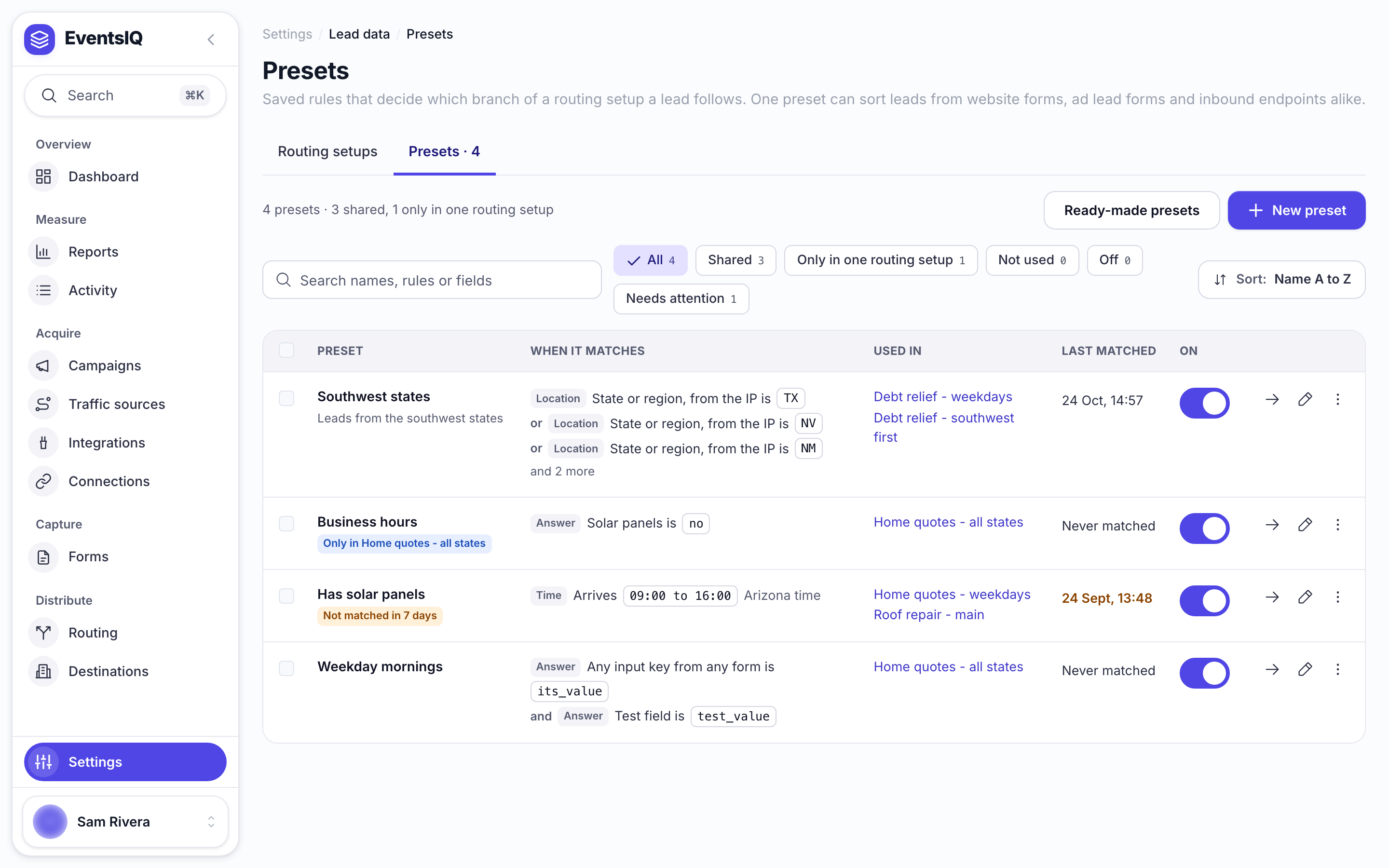
You can also create a preset from inside the routing builder, in which case it belongs to that one routing setup and is marked Only in that setup. Who can use it, on the preset, widens it to Every routing setup (shared) if you later want to reuse it.
The distinction is only about reuse. A local preset and a shared one behave identically at run time.
Building one
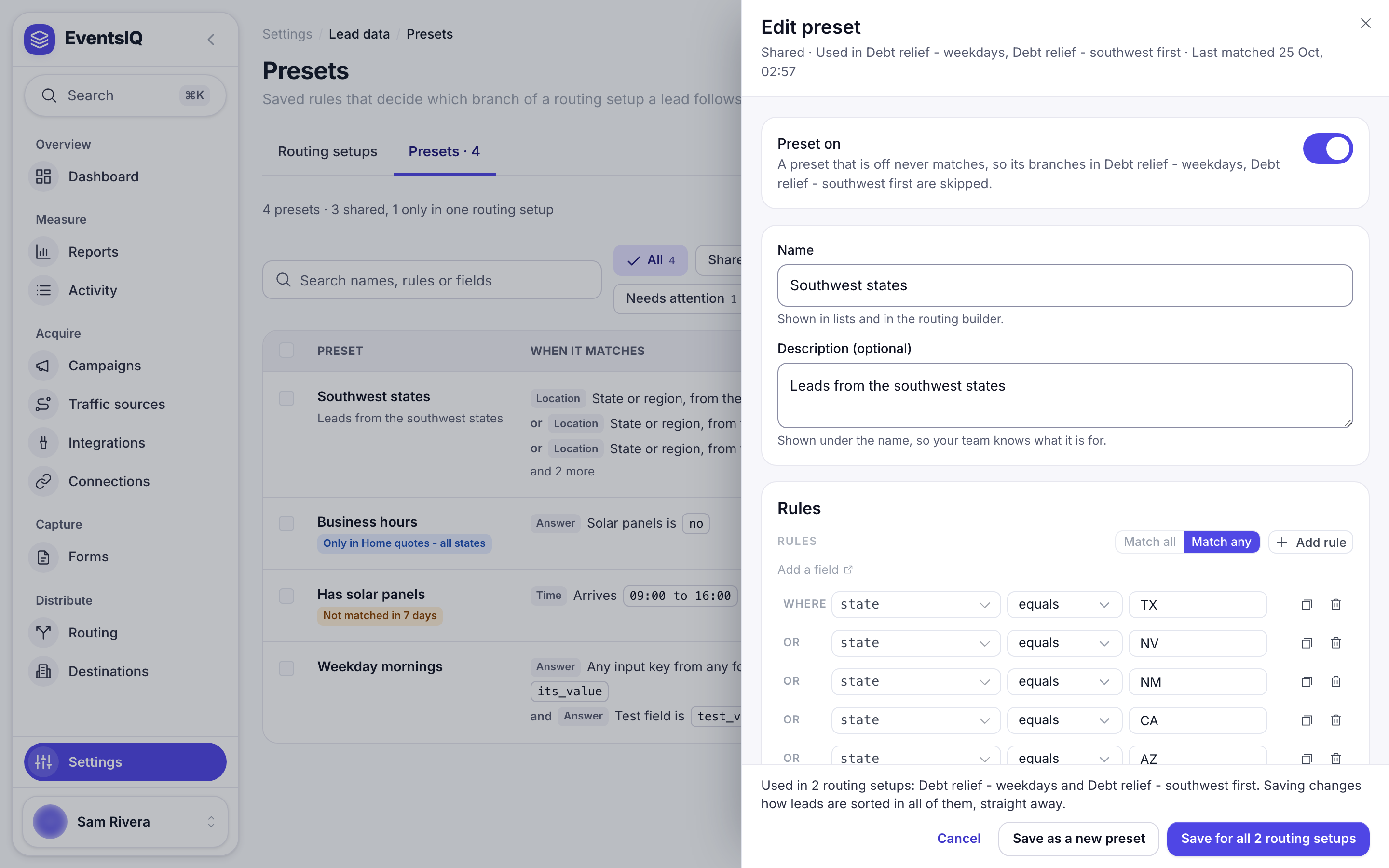
Click New preset, or Edit on a preset. A preset is a name, an optional description, a list of rules, and whether all of them must be true (Match all) or any of them (Match any). Click Add rule for each one.
Rules come in these kinds, named the way the library writes them:
Answer tests one of your fields against a value. This is what you will use nearly all of the time.
URL parameter and Click data test what was captured with the lead rather than answered by the visitor: which page they were on, where they came from, campaign parameters.
Location tests where the lead came from, for example the state or region from their IP address.
Time tests against a window in a named time zone. Windows may wrap past midnight, so 22:00 to
06:00 works as you would expect.
Day tests which days are allowed, listed Monday first.
The last two exist because most destinations only want leads while their call centre is staffed.
Saving a shared preset
The save buttons say how far a change reaches. Save for all 3 routing setups changes the shared preset everywhere it is used, from the next lead. Opened from a routing branch, Save for that setup only gives that routing its own copy. Save as a new preset leaves the original alone.
Operators
| Operator | Notes |
|---|---|
| equals, not equals | Booleans compare sensibly against the words true and false |
| contains, not contains | Substring |
| starts with, ends with | Substring, anchored |
| greater than, less than | And the "or equal" variants; compares numerically when both sides are numbers |
| in, not in | Against a list of values, the one you want for a list of states |
| is empty, is not empty | The only operators that treat a missing field as a legitimate answer |
How they are evaluated
This is the part worth reading twice, because two of the rules are deliberate and surprising.
Branches are tried in priority order, and the first match wins. In the routing builder's List view, priority is position: the top branch is tried first, numbered 1. On the Map, branches are tried left to right. Nothing after a matching branch is considered.
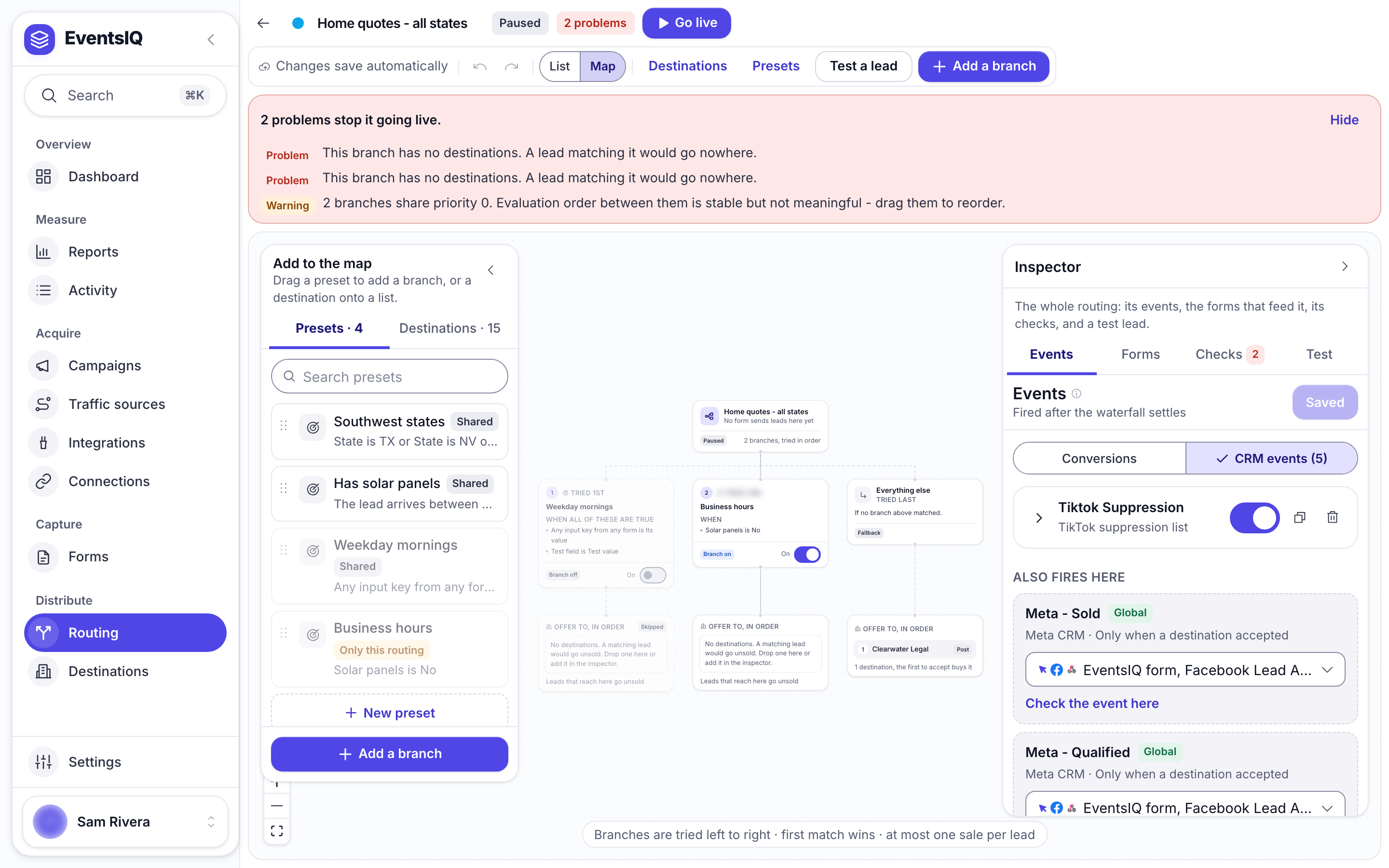
No match sends the lead to the default branch. If nothing matches and there is no default waterfall configured, the lead is stored and marked unsold, and the logs records why.
A preset with no rules never matches. It would be reasonable to assume an empty preset matches everything; it does the opposite, on purpose. A half-configured branch sitting at the top of the list would otherwise swallow every lead in the account before anything else was tried.
A missing field makes a rule false, never an error. If a preset tests state and a lead
arrives without one, the rule is false and EventsIQ records a warning against the lead. Nothing
throws and nothing matches by accident, but a preset testing a field that never arrives will
quietly never fire, which is why the builder flags presets whose fields no attached source supplies.
Attaching destinations to a preset
A preset on its own routes nothing. In the routing builder, a branch pairs one preset with an ordered list of destinations, and that list is the waterfall the lead is offered to if the preset matches.
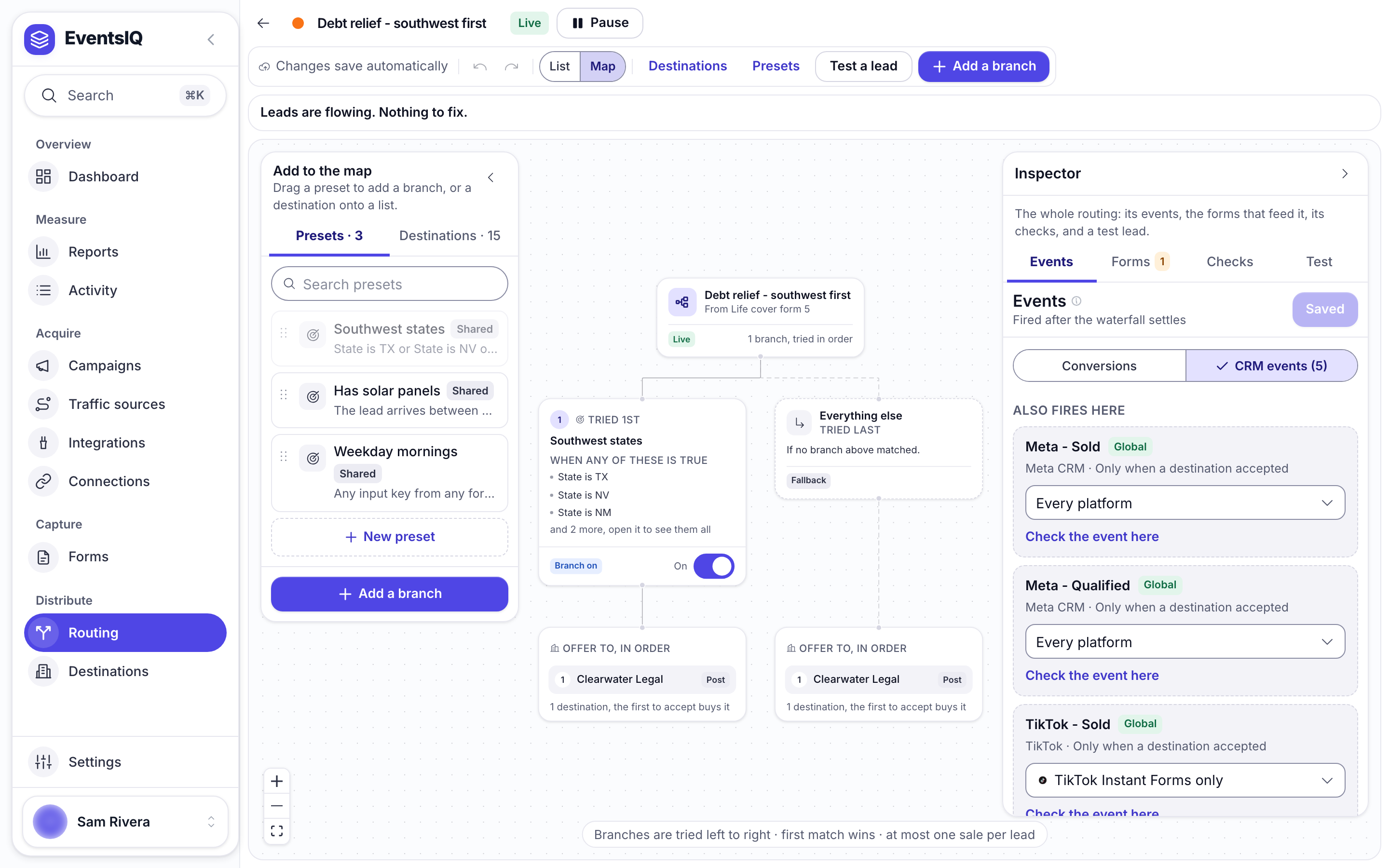
In the List view, drag branches up and down to change which is tried first, and drag the destinations under Offer to, in order to change who gets first refusal.
A branch whose preset has been deleted is marked broken in the builder and is skipped at run time. It is left visible rather than silently removed so that you can see what happened and either repoint it or delete it deliberately.
A worked example
Say you sell solar leads, your best destination only covers the southwest, and everybody else takes national volume.
- Create a global preset Southwest with one rule:
stateinTX, AZ, NV, NM. - In your routing setup, add a branch for it and put your premium destination first, then a backup.
- Leave the default waterfall as your national destinations.
A Texas lead is offered to the premium destination; if they decline it falls to the backup, and if that declines too, nothing further happens: the default is only used when no preset matched, not as a fallback for a matched branch that came up empty.
That last point catches people out. If you want a matched branch to fall through to your national destinations, add those destinations to the end of that branch's waterfall too.
What to read next
- Routing: where presets are paired with destinations and put in order.
- Destinations: the lists presets point at.
- Fields: the values presets test.