Fields
The canonical vocabulary every source translates into, and how mapping works.
Every source names things differently. Your Facebook form calls it field_data[phone_number], your
website form calls it phone_number, the webhook from your partner's CRM calls it contact.Phone,
and the destination you sell to expects primary_phone.
EventsIQ's answer is a fixed middle name. Every source translates into it on the way in, and everything downstream (presets, destination templates, event payloads) refers only to that. This page is about that vocabulary and how sources translate into it.
The canonical fields
Settings → Lead data → Fields is the registry. Your own fields are listed first, then the built-in ones, each with who needs it and which forms send it. Click a field to see all of that in full.
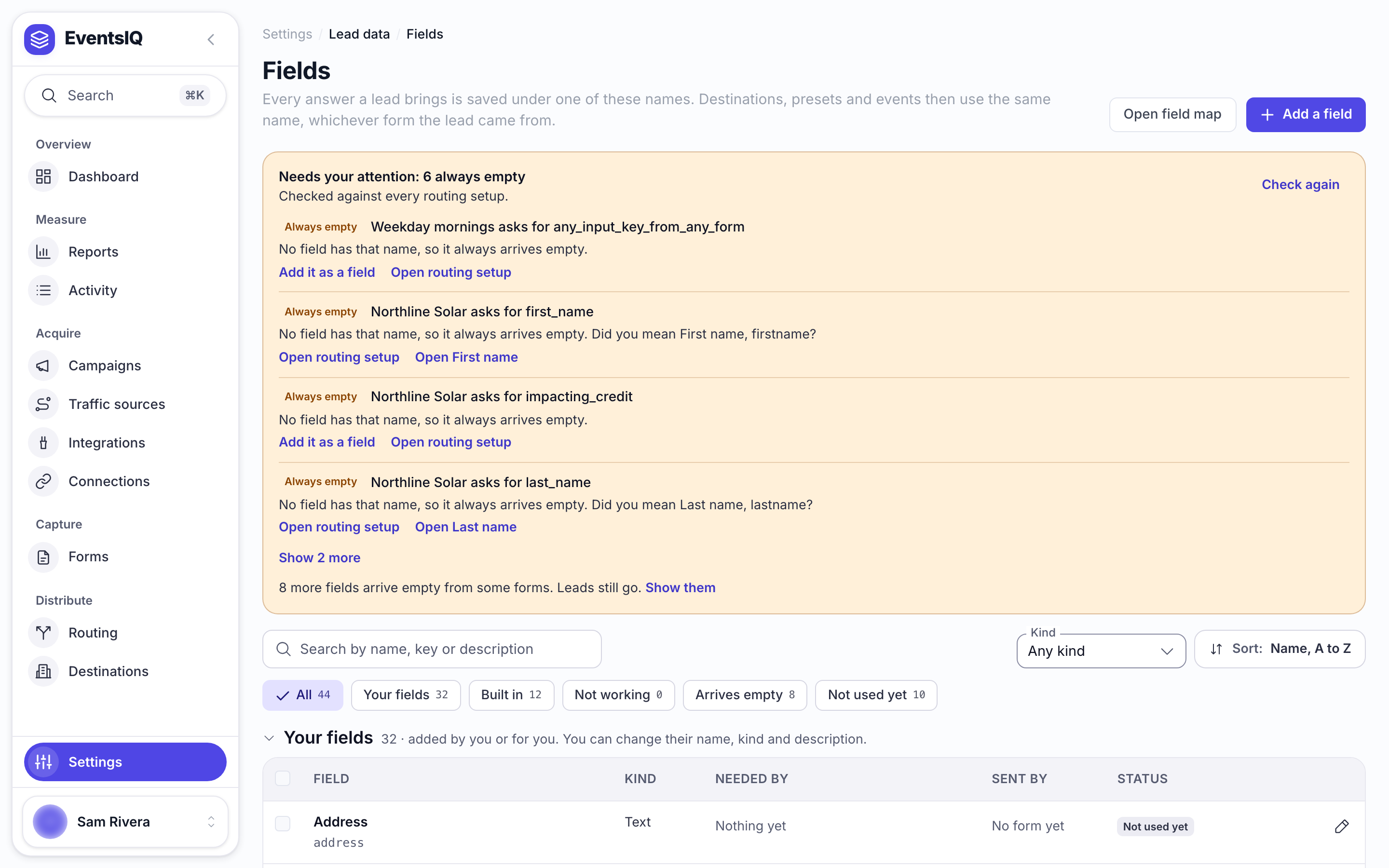
EventsIQ ships eleven built-in fields:
| Key | Label | Type | Normalised to |
|---|---|---|---|
email | lowercased | ||
phone | Phone | phone | E.164, e.g. +15551234567 |
firstname | First name | string | trimmed |
lastname | Last name | string | trimmed |
fullname | Full name | string | for sources that do not split the name |
state | State | state | two-letter code, e.g. TX |
city | City | string | trimmed |
zip | ZIP / Postcode | string | trimmed |
country | Country | string | name or ISO code |
consent | Consent | boolean | true / false |
submitted_at | Submitted at | date | when the origin recorded the lead |
The built-ins are read-only. You can add as many of your own as you need: monthly_bill,
roof_type, credit_band, whatever your destinations ask about.
Adding your own
Click Add a field. A custom field needs a name, and a key made from it as you type. The
key has rules: lowercase letters, digits and underscores, starting with a letter. That is not
fussiness: the key is interpolated into destination request bodies as {{monthly_bill}}, so
anything else would make the template unparseable.
Pick a kind as well. The type is what EventsIQ coerces incoming values into, and it is how
"42" becomes the number 42 and "Texas" becomes "TX".
The key is referenced by every preset, destination body template and event payload that uses it. That is why a field's key cannot be changed once it is made: only its name, kind and description can. Pick the key with care. A field cannot be deleted while any form still sends it.
How a source translates into them
That translation is called field mapping, and where you configure it depends on the source.
Website forms map themselves
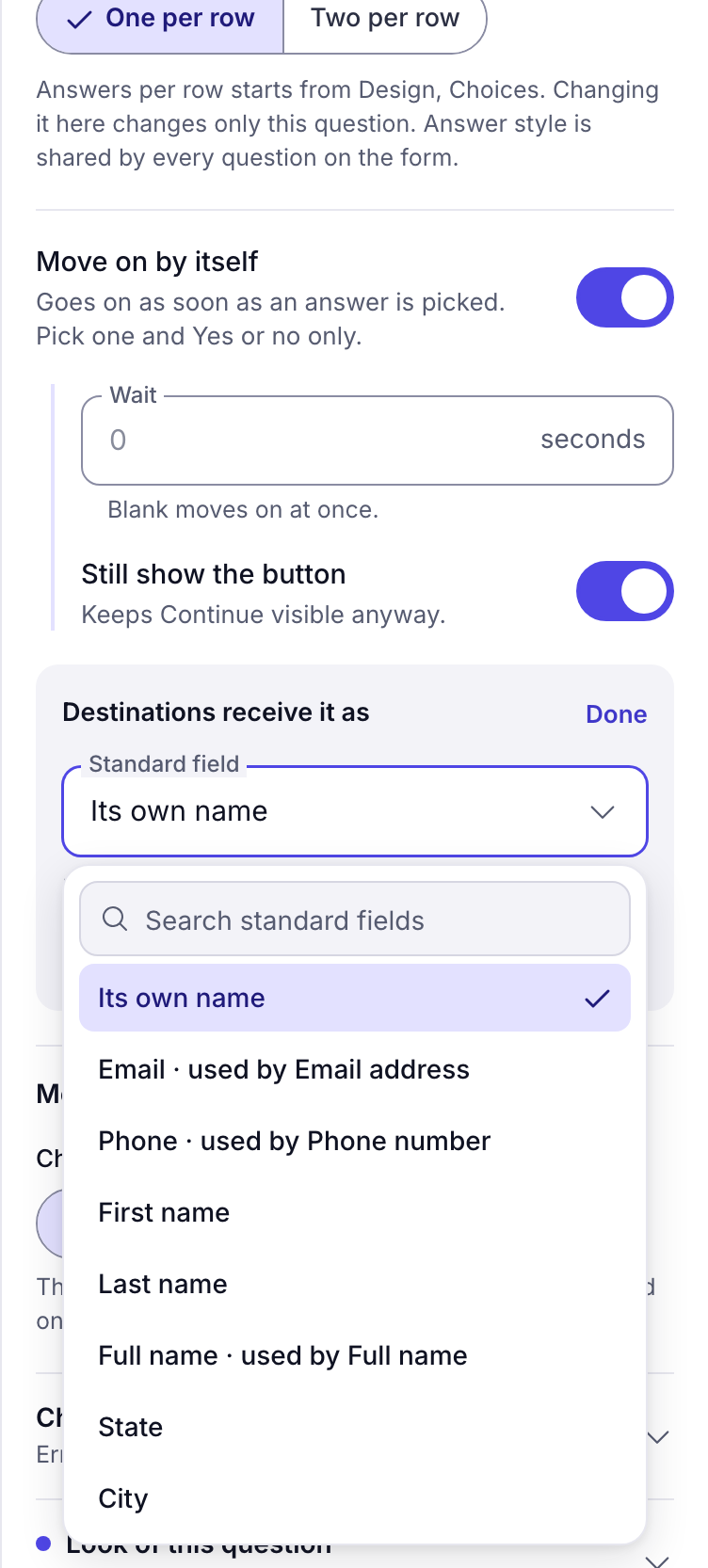
Because you authored the questions, the canonical key is a property of the question itself. Select a question in the builder and look for Destinations receive it as in its settings. It is set for you from the question type where it can be. To change it, click Change and pick a standard field, or Its own name. The mapping follows automatically every time the draft saves. There is no separate mapping screen and no chance of the two drifting apart.
Everything else maps on the source page
Facebook, TikTok, Google and inbound webhook sources arrive with somebody else's field names, so the mapping is explicit. Open the form from the Forms list. Its Match fields tab is Match up the fields.
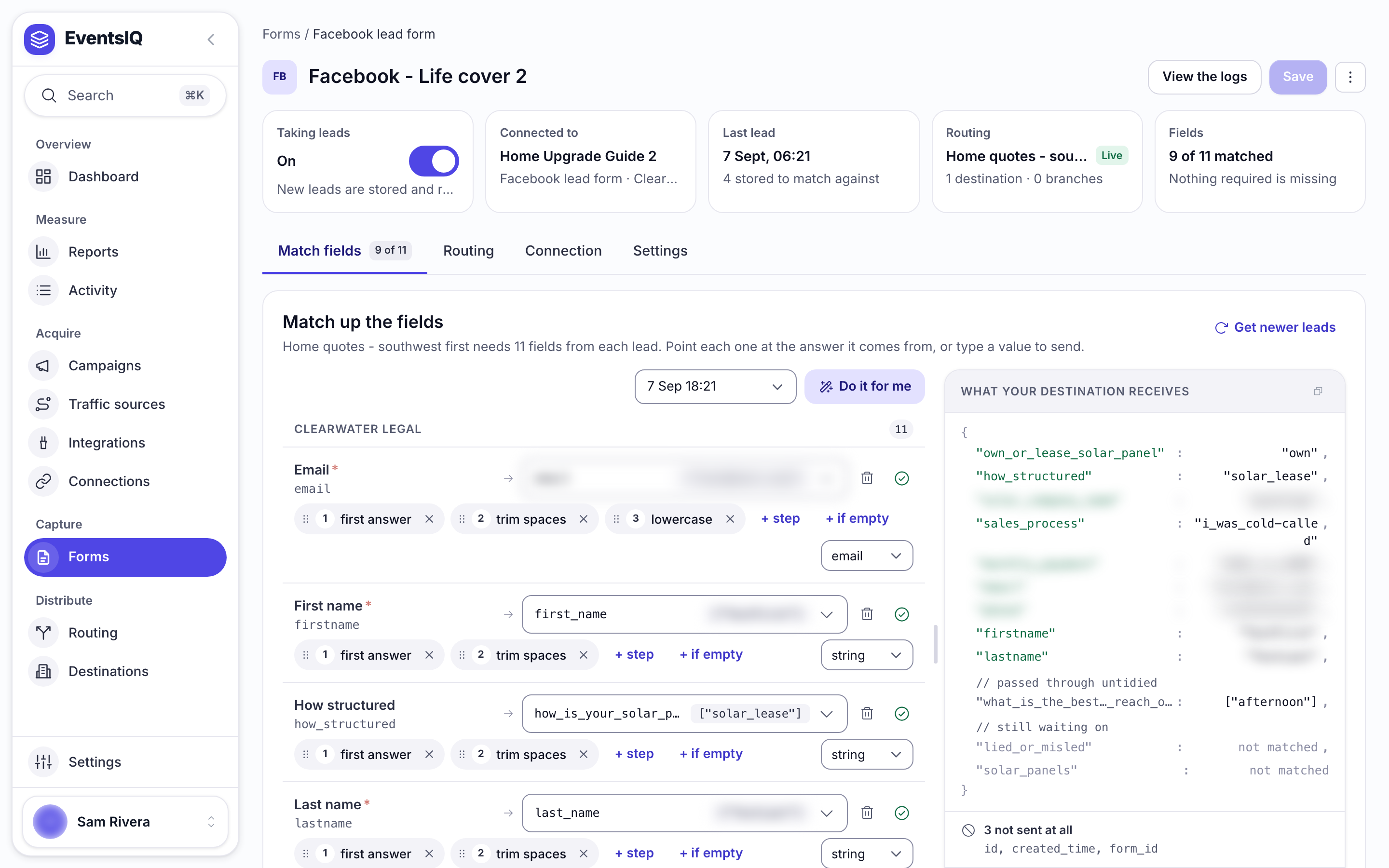
Each row is one translation, and reads left to right as a sentence: this form calls it X, treat it as Y.
A value the form does not send
Sometimes a field has to go out with a fixed value, or the form only sometimes sends it. There are two ways to type the value yourself:
- Always the same value. Open the answer dropdown on the row and choose Custom value at the top. Type the value in the Always send box under the row. Every lead sends it, whatever the form says.
- Only when the answer is empty. Keep the answer, press + if empty next to the clean-up steps, and type the value. A lead that sends the answer keeps its own value; a lead that sends nothing, or a blank, sends yours.
Either way the value is checked like any other, so a word typed into a number field is reported, not sent. What your destination receives shows the result. An empty box sends nothing.
Clean-up steps
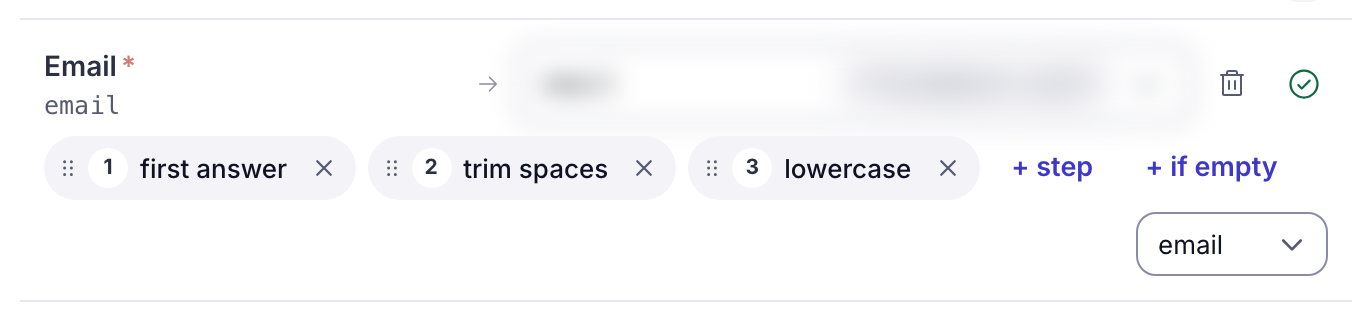
Raw values are rarely in the shape a destination wants. Each mapping row can carry an ordered chain of transforms, shown as numbered chips.
Click + step on a row to add one. The list says what each does in full; the chip shows it short.
| Chip | What it does |
|---|---|
| trim spaces | Removes extra spaces before and after |
| lowercase / UPPERCASE | Changes case |
| digits only | Keeps only the digits |
| phone format | Tidies up a phone number, to E.164 such as +15551234567 |
| state code | Shortens a state name to its two-letter code |
| first answer | Takes the first answer when the source sends a list |
| join answers | Joins a list of answers with commas |
| first name / last name | Splits a full name: the first name, or everything after it |
Order matters. Facebook sends every answer as a list, so first answer has to run before
phone format. Reversed, the phone formatter is handed a list and gives up. The chips are numbered
for exactly this reason. Drag a chip by its handle, or focus it and press the left and right arrow
keys, to move it.
Passthrough, and what happens to unmapped answers
A source can keep unmapped answers rather than discarding them, and by default it does: the raw payload is stored forever regardless, so nothing is ever truly lost.
But an unmapped answer is not part of the shared vocabulary. Presets cannot test it, destination templates cannot reliably reference it, and it will not be normalised or type-checked. If a question matters to your routing or your destinations, map it.
The source page counts this for you: the Match fields tab and the Fields card at the top say how many fields are matched, for example 9 of 11 matched, and whether anything required is missing.
Checking the contract before it bites
A routing setup knows which canonical keys it needs: the union of every key referenced by its presets, its destinations' body templates, its ping templates and its event payloads.
When you attach a source to a routing setup, EventsIQ compares that list against what the source actually produces and warns about the gap. The routing setup's Forms tab shows the same thing per attached form, for example 1 will be empty, and names the fields.
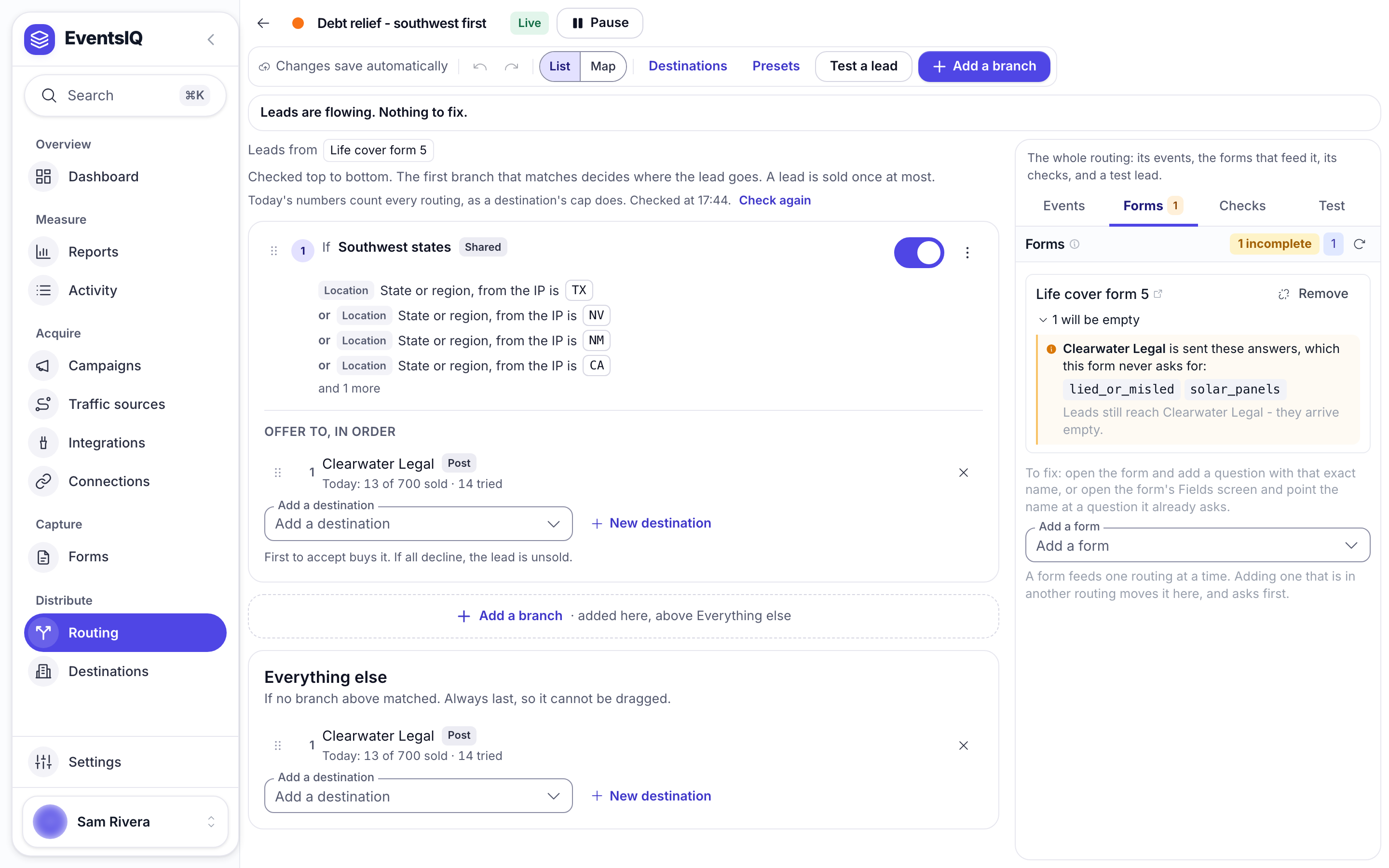
This is a warning, not a block. A preset testing a field that never arrives simply never matches, which sends every lead to your default waterfall, a failure that is easy to miss and expensive to leave running.
What to read next
- Presets: testing these fields to decide where a lead goes.
- Destinations: putting these fields into an outbound request.
- Routing: where the field contract is checked per attached form.