Tracking Domains
Your own subdomain for ad links: adding it, the CNAME record, and what each status means.
A tracking domain is a subdomain of yours, like track.yoursite.com, that sits in front of your
campaign links. Your ads point at it, EventsIQ records the click there, and the visitor is sent on
to your landing page. Visitors and ad networks see your name, not ours.
You'll find them under Settings → Domains.
A campaign needs a Live tracking domain to send clicks Through your link domain. Without one, campaigns still work by sending clicks Straight to your page, but there is no extra step to run rules or split tests. See Campaigns.
The list
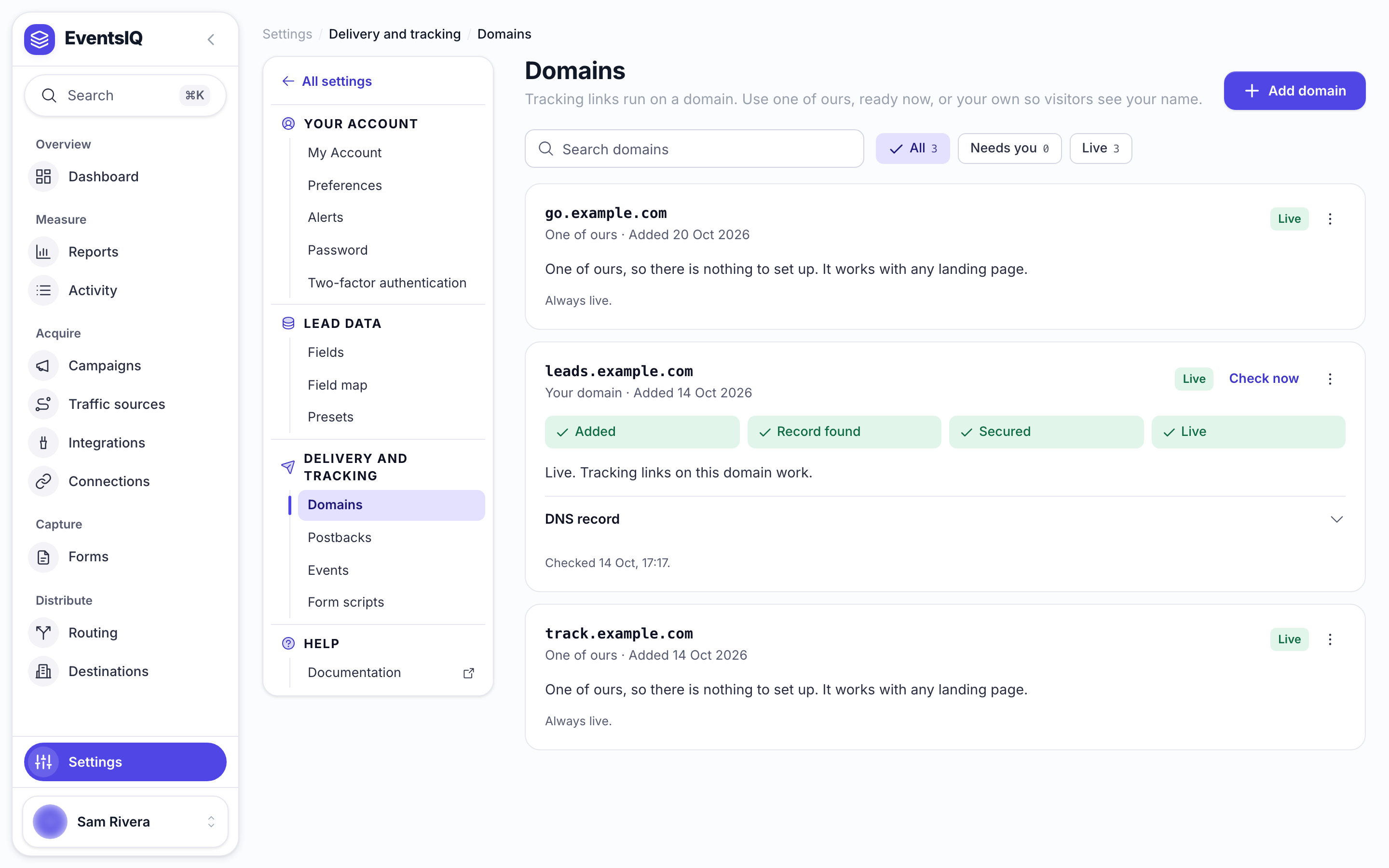
| Column | What it tells you |
|---|---|
| Domain | The hostname. Click the row to see its DNS record |
| Status | Where it is in setup. See the table below |
| Last checked | When EventsIQ last asked whether the record is right |
| Added | When it was added |
Each row has two actions: Check again and Remove.
Adding a domain
- Click Add domain.
- Type a subdomain, for example
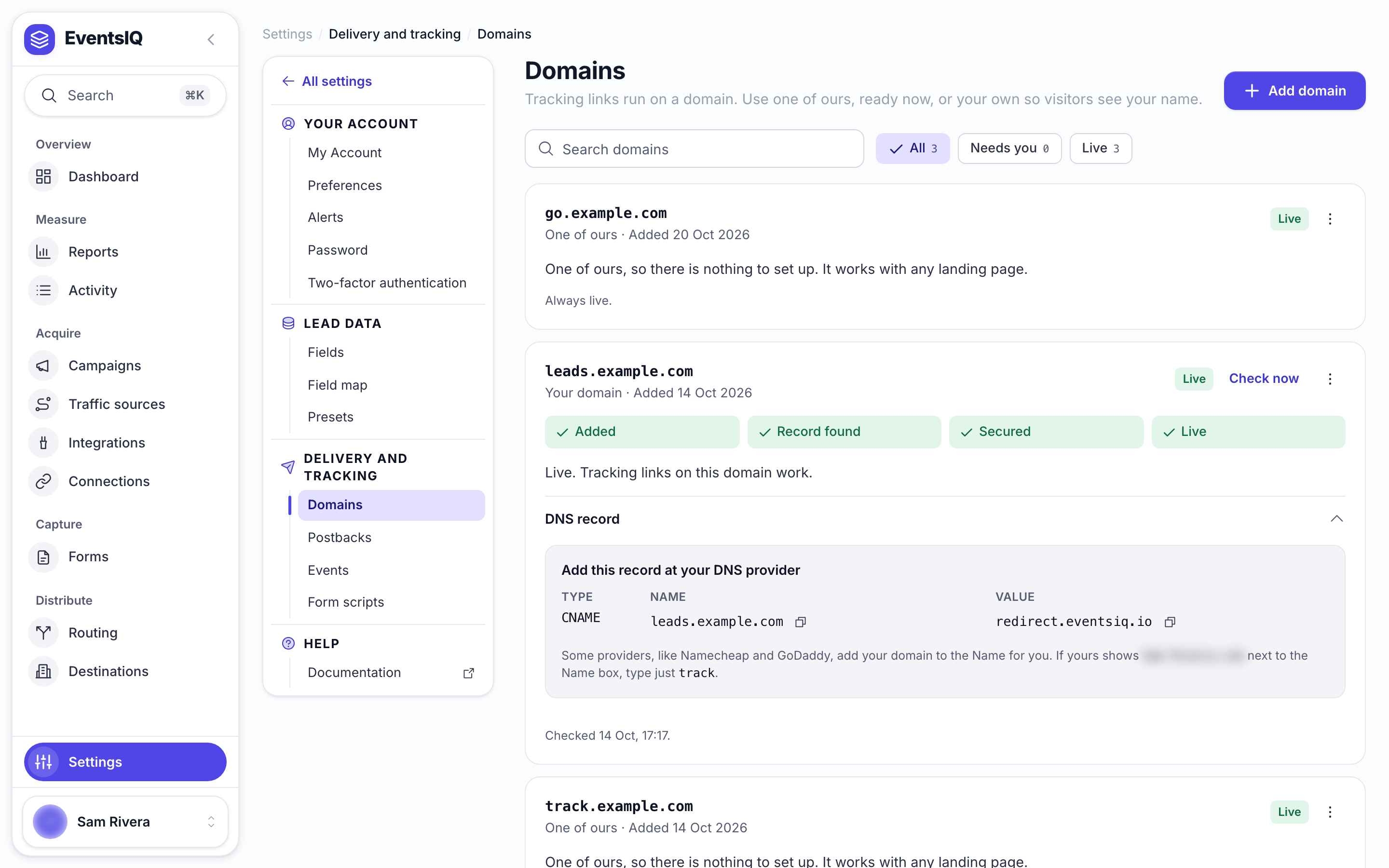
track.yoursite.com. You can paste a full address likehttps://track.yoursite.com/and EventsIQ cleans it up. - Click the new row to open it. Under Add this record at your DNS provider you will see one record:
| Type | Name | Value |
|---|---|---|
| CNAME | your subdomain, with a copy button | EventsIQ's address, with a copy button |
- Add that record at your DNS provider.
- Come back and click Check again until the status says Live.
A bare domain like yoursite.com is refused, because pointing it at EventsIQ would take over your
whole website. Email addresses, ports and EventsIQ's own addresses are refused too.
Some providers add your domain to the Name for you. If yours shows yoursite.com beside the Name
field, enter just track rather than the whole thing. The row reminds you when this applies.
What each status means
| Status | What is happening | What to do |
|---|---|---|
| Waiting for DNS | EventsIQ cannot see the CNAME record yet | Add the record, wait, click Check again |
| Issuing certificate | The record is right and the security certificate is being made. Usually minutes | Wait, click Check again |
| Live | Ready. Campaigns can use it | Nothing |
| DNS record gone | It was Live, but the record no longer points at EventsIQ. Links have stopped | Put the record back, click Check again |
| Not working | Setup failed | Check the record, remove the domain and add it again |
Most DNS records are picked up within minutes, some take an hour. The status on screen refreshes when you click Check again, so click it again after a few minutes rather than waiting.
The certificate is made and renewed for you. You never need to upload one.
Removing a domain
Click Remove on the row. Every campaign link on that domain stops working straight away, so move your campaigns to another domain first if their ads are still running.
Related
- Campaigns: choosing the domain a campaign's link uses.
- How click tracking works: what happens on the domain when someone clicks.