Destinations
Where leads are sent, what counts as an acceptance, and how the waterfall stops.
A destination is somewhere a lead gets sent, and a description of what their "yes" looks like. Most of them are an HTTP endpoint belonging to a company that pays you per lead, but a destination is really just a configured outbound request: a CRM or an internal service works the same way.
Destinations is an account-level directory. The same destination can appear in as many routing setups and as many waterfalls as you like.
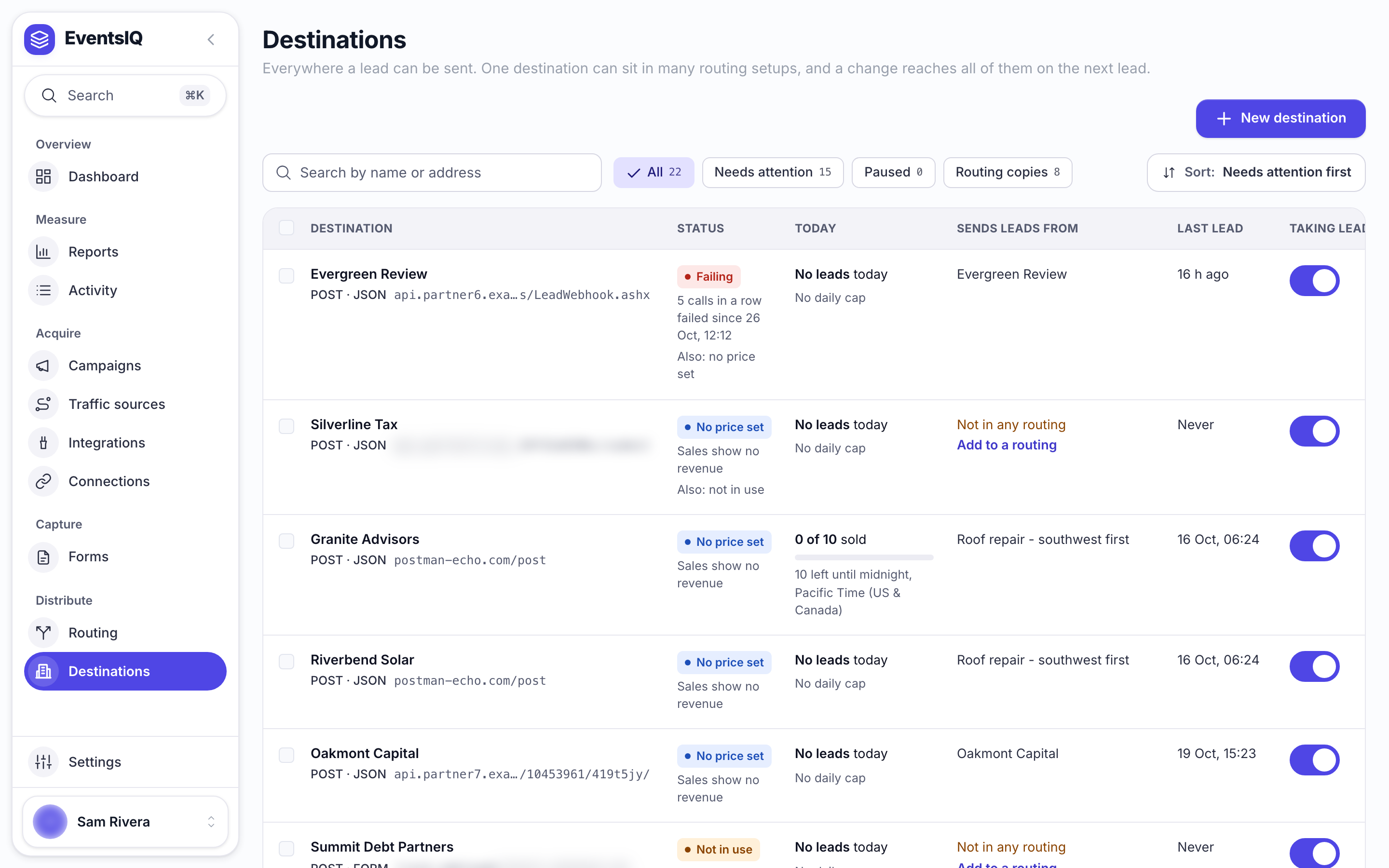
Click a destination to open its page. It has five tabs: Overview (today's numbers, recent deliveries and where it is used), Sending, Sale and price, Limits (the daily cap) and Test.
Fixing a destination's endpoint updates every waterfall that uses it, immediately. That is usually what you want: a destination changed their URL, you change it once. But it does mean an edit is never local to the routing setup you happen to have open.
If you need one routing setup to send something different to a shared destination, use an override from inside that routing setup rather than editing the directory entry.
Creating one
Click New destination. It asks five things in the order a partner's spec reads: Start (blank, or a copy of a destination you have), Where to send, What to send, When it is sold, and Check and create. Nothing is saved until Create.
After that, everything lives on the destination's Sending tab.
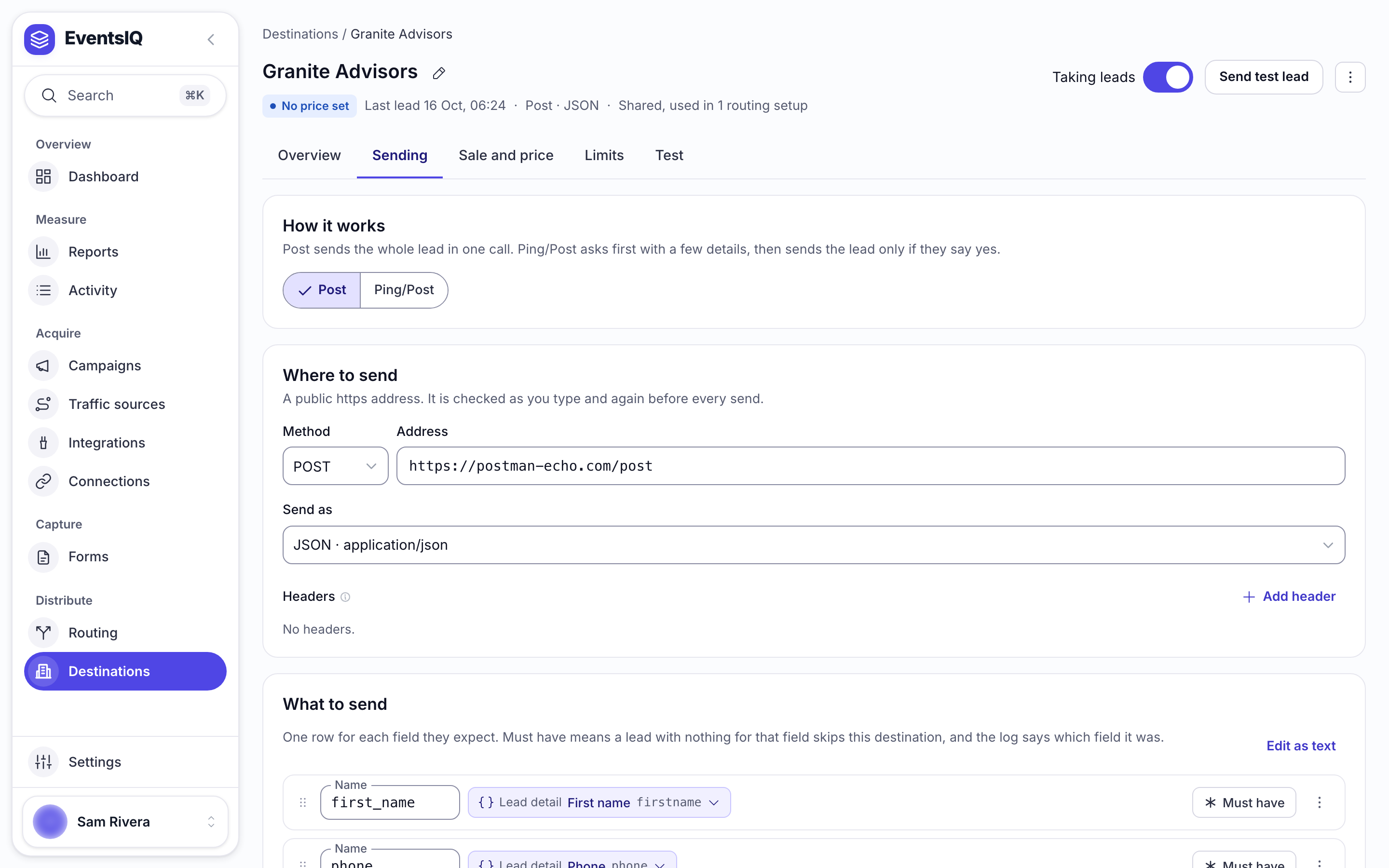
The name is yours: click the pencil beside it to change it. Address, Method and Send as are theirs: take them from the destination's documentation. Send as decides how the body is encoded and how values are escaped: JSON, form-encoded, XML or raw.
Wait for a reply defaults to ten seconds. Keep it short. A waterfall of three destinations at thirty seconds each is ninety seconds of a lead sitting unsold while it goes cold.
Headers and secrets
Most destinations authenticate with a header. Click Add header and turn on Treat this header value as a secret for anything sensitive.
A secret header is write-only in the interface, encrypted at rest, decrypted only at the moment of
sending, and redacted in the logs. Once saved it shows as locked: leave it blank to keep it, or type
to replace it. Anything named like authorization, api-key or token is redacted in logs whether
or not you marked it secret.
Post, and ping/post
How it works, at the top of the Sending tab, picks one of the two.
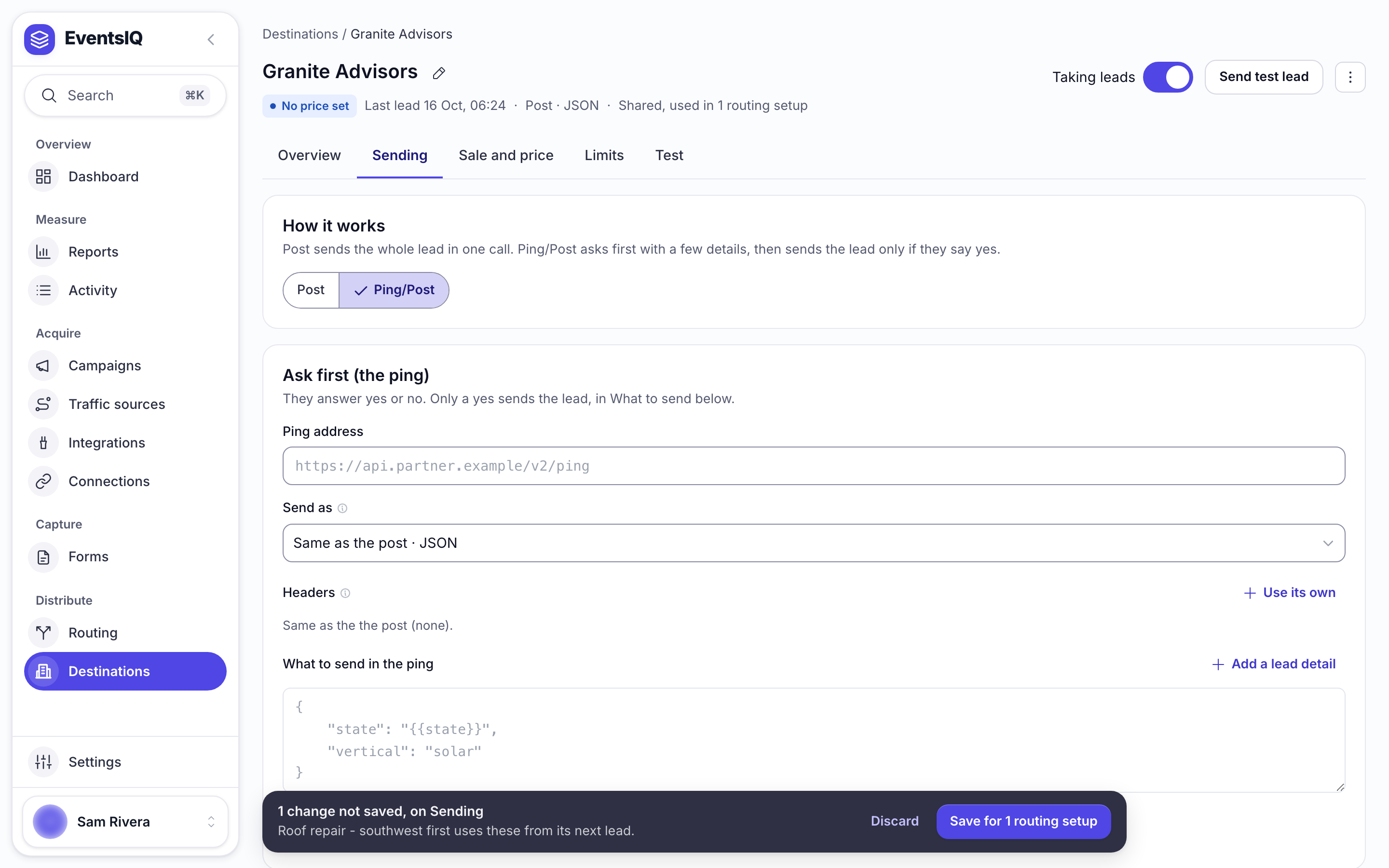
Post sends the whole lead in one call. If the destination accepts, the lead is sold.
Ping/post is two calls. First a ping (a stripped-down description of the lead with no personal details) asking whether they want it and often what they will pay. Only if the ping is accepted does the full post follow with the actual contact details.
Ping/post exists because it means you are not handing a name and phone number to four destinations in order to find the one who wants it. If your destinations support it, use it.
The ping is set up under Ask first (the ping). It has its own address and its own What to send in the ping, and can optionally have its own headers (Use its own), format and rule for what a yes looks like. Anything you leave blank falls back to the post's version.
Nothing stops you putting {{phone}} in a ping template. EventsIQ will send it. Keep pings to
things like state, ZIP and qualifying answers.
Sold when: what counts as a yes
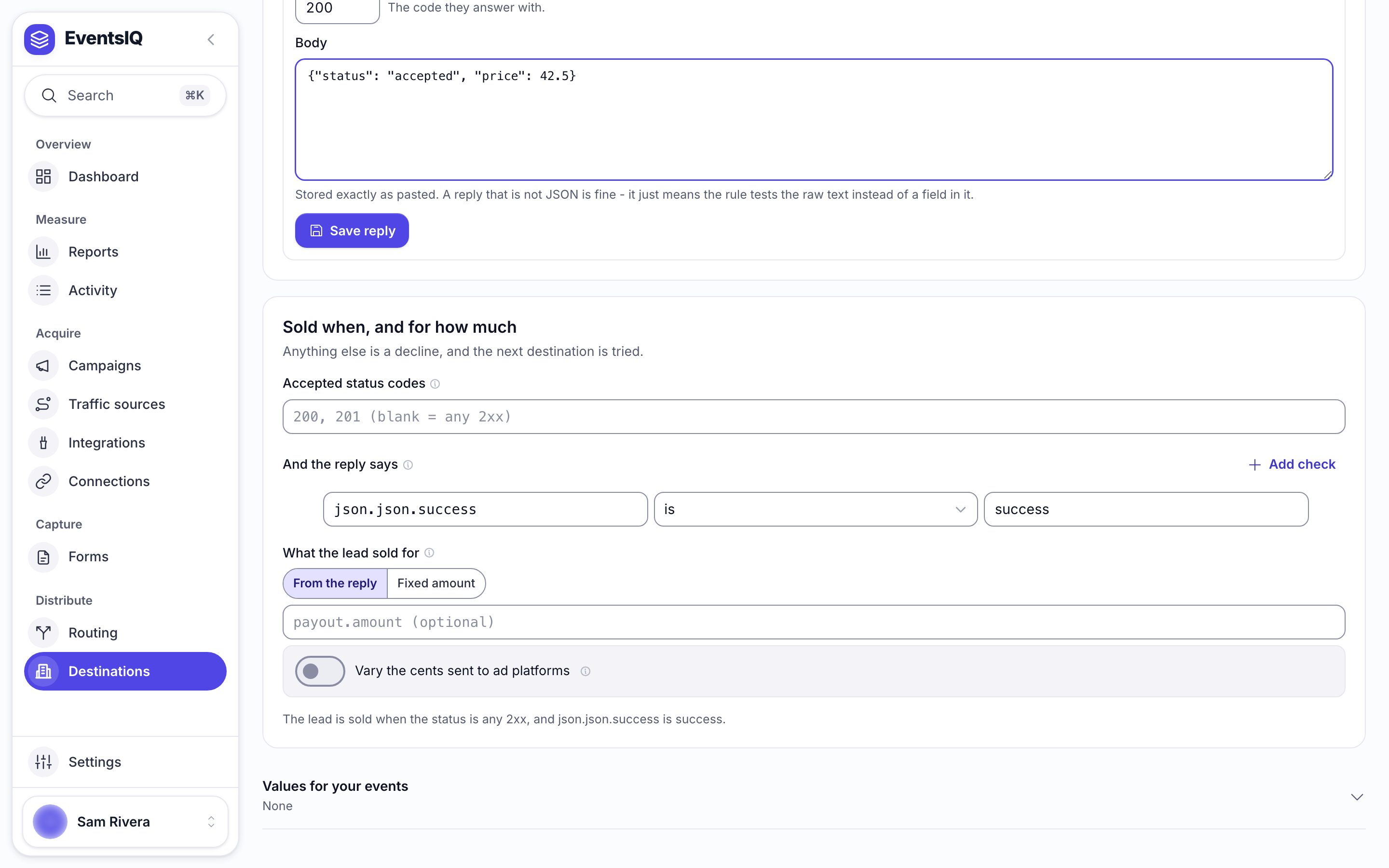
This is the part that makes a waterfall work. EventsIQ has to decide, from a destination's reply, whether the lead was taken. That decision lives on the Sale and price tab, under Sold when, and for how much.
With nothing set, any 2xx response is a sale. That is right for a surprising number of
destinations and wrong for the ones that return 200 OK with {"status":"rejected"} in the body,
which is most of the serious ones.
It is built from:
Accepted status codes: which HTTP statuses are even considered. Leave it blank for any 2xx.
And the reply says: checks against the reply. Each check is a path, a comparison and a value:
status is accepted, or payout is greater than 0. Leave the path blank to test the raw
reply instead. With two or more checks, AND means every check must pass and OR means any
one is enough.
What the lead sold for: From the reply, with the path to the payout such as data.price or
bid.amount, or a Fixed amount.
A sentence under it says the whole rule in words, for example The lead is sold when the status is any 2xx, and status is accepted.
EventsIQ parses the response as JSON, then XML, then form-encoded, whichever works: it does not
trust the destination's Content-Type header. Paths support array indexes like items[0].price,
and fall back to case-insensitive key matching.
Test it before you trust it
Paste a real reply the destination gave you into Their reply, at the top of the Sale and price tab, and click Save reply. From then on the banner above it says, as you edit, whether that reply would sell the lead, and why.
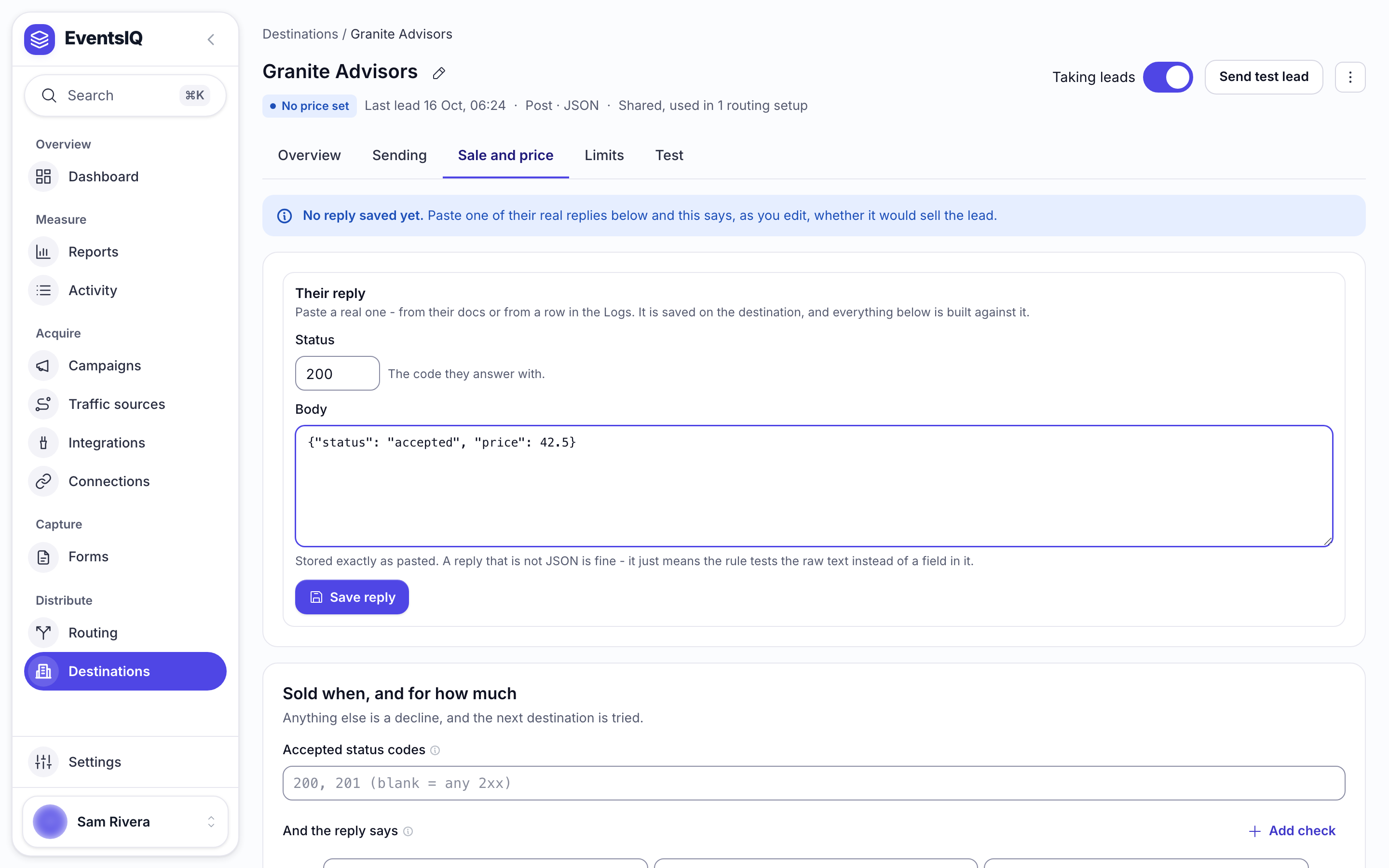
Do this. A rule that is wrong in the "too generous" direction marks leads sold that nobody bought. The Test tab goes one step further: a practice run that shows the exact request and what the saved reply would decide, without sending anything.
What to send: the body and its tokens
What to send on the Sending tab has one row for each field the destination expects. Each row
has the Name they read it under and what goes in it: a Lead detail, Fixed text, Text
and details mixed together, or a List. Mark a row Must have and a lead with nothing for
that field skips this destination, and the log says which field it was. Rows can be grouped, for
example an address group holding state and zip.
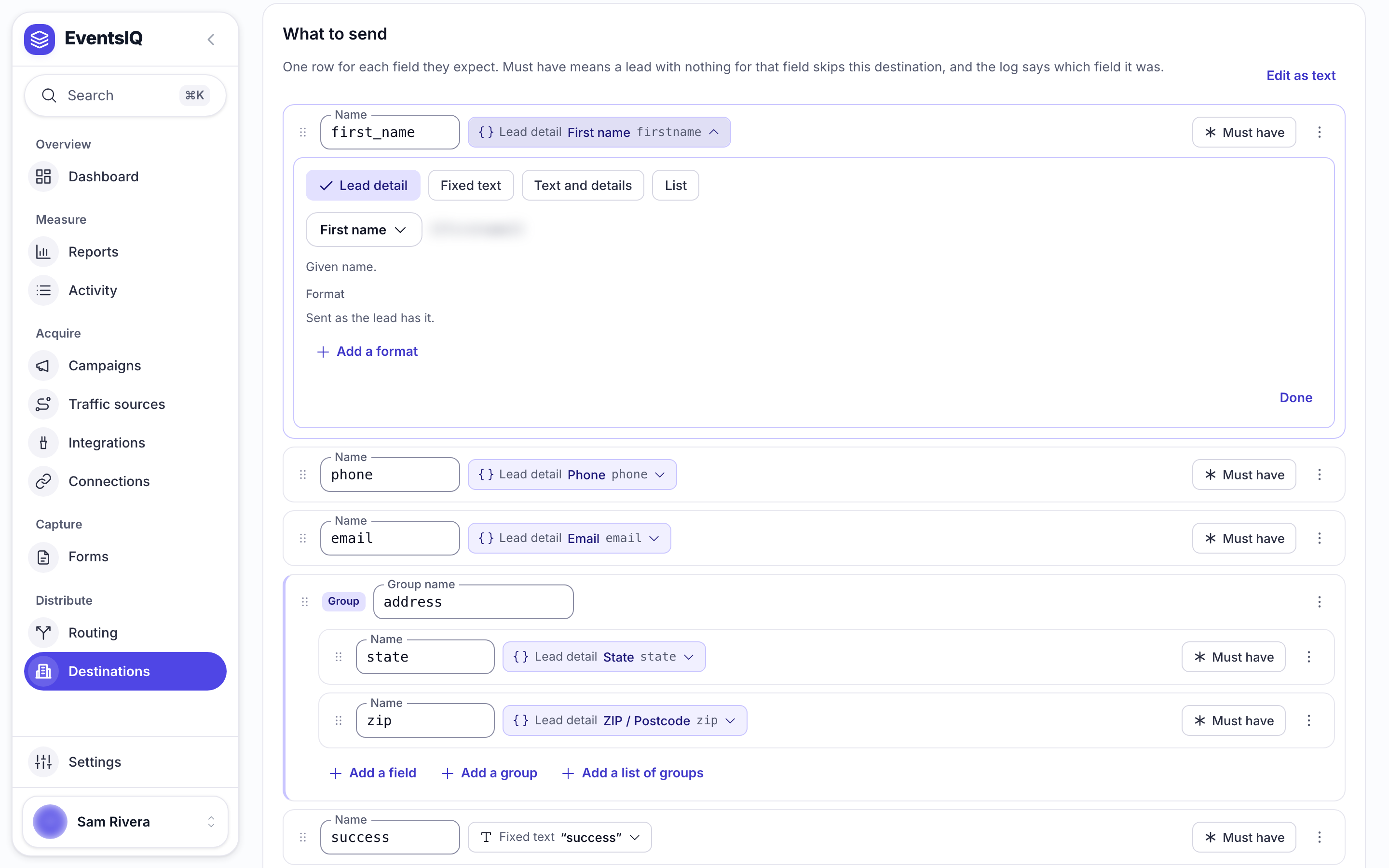
Behind the rows, the body is a template with {{token}} placeholders filled in from the lead.
Edit as text shows it, and lets you write it by hand:
1{
2    "first_name": "{{firstname}}",
3    "last_name": "{{lastname}}",
4    "email": "{{email}}",
5    "phone": "{{phone}}",
6    "state": "{{state}}",
7    "landing_page": "{{runtime.page_url}}",
8    "lead_id": "{{system.lead_id}}"
9}
Tokens resolve in this order, and you can force one explicitly with a prefix:
| Prefix | Resolves from | Example |
|---|---|---|
| (none) | canonical fields, then runtime, then system | {{phone}} |
data. | canonical fields only | {{data.phone}} |
runtime. | attribution captured with the lead | {{runtime.page_url}} |
system. | EventsIQ's own identifiers | {{system.lead_id}} |
response. | the accepting destination's reply, events only | {{response.order_id}} |
Use triple braces, {{{token}}}, where you need the value inserted as a raw JSON literal rather
than a quoted string, such as a number or a boolean.
Formats
Open a lead detail on a row and Add a format to change how its value is written, for example 10 digits, no country code for a phone number. Formats run top to bottom.
To send the time the lead was submitted, pick Submission time under About the lead and add
ISO 8601, in UTC, which writes it as 2026-10-23T08:41:26Z. For leads from Facebook, TikTok,
Google and Snapchat it is the time the person submitted the ad platform's form, so it is right even
for a lead that reached EventsIQ later. For a website form it is when the form was sent.
When a field is empty
When a field is empty, under the rows, decides what every field with nothing in it sends:
| Choice | JSON | Form or XML |
|---|---|---|
| Send it empty | "city": "" | city= or <city></city> |
| Send null | "city": null | city=null or <city>null</city> |
| Leave the field out | no city at all | no city at all |
Send it empty is the default, and what every destination sent before this choice existed. Form and XML bodies have no null, so Send null sends the word null there.
One field can choose differently: add If empty, send null, If empty, leave the field out, If empty, send it empty or If empty, send this instead under that field's Add a format. A field's own choice wins over the destination's. A Must have field is never sent empty: a lead with nothing for it skips this destination, whatever is chosen here.
The choice applies to a field whose value is one lead detail on its own. A field mixing text and
details, such as Hi {{firstname}}, keeps its text and sends the detail empty. Every empty lead
detail is still listed on the log row, so you can see it happened.
Two special tokens are worth knowing: {questions} and {questions_text} send every question and
answer from the form, which is what destinations who want "whatever you have" usually mean.
Order, and what stops a waterfall
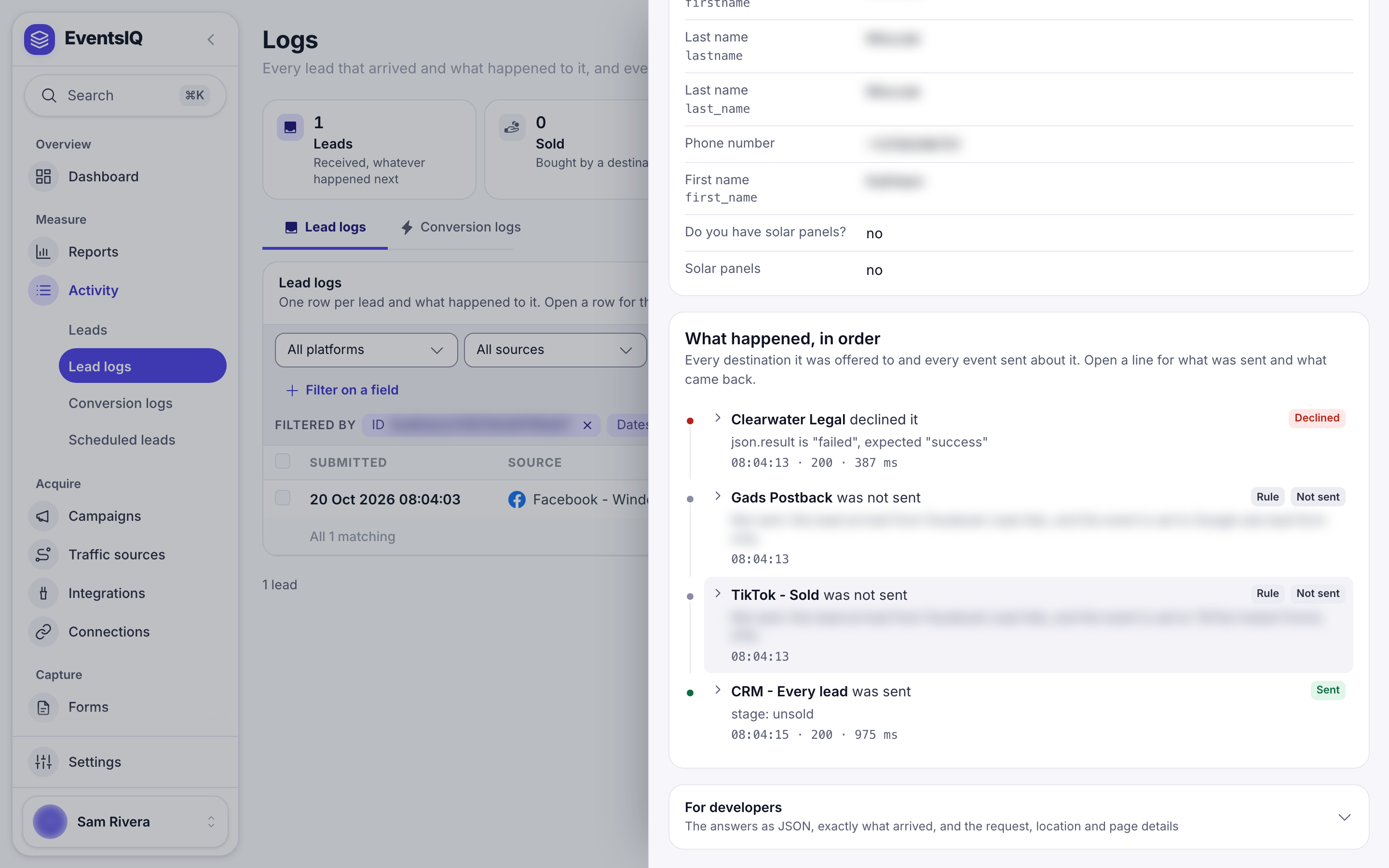
Within a branch, destinations are tried in list order and the first acceptance ends it. Destinations below the winner are never called.
The waterfall also stops early if:
- A destination is paused. Its Taking leads switch is off. It keeps its place in every list and is skipped at run time, which is how you pause a destination without dismantling your routing.
- Your postback quota runs out. EventsIQ stops rather than burning the remaining budget on a waterfall it cannot finish.
Every call writes a row to the logs, including the skips, so the drawer for a lead reads as a complete account of what was tried and what came back.
Per-routing setup overrides
Sometimes one routing setup needs to send a shared destination a different body: an extra field, a different campaign identifier. Select the destination inside the routing builder and override just what differs. Everything you do not override keeps following the directory entry.
Identity (the destination's name, whether it is taking leads, and Post or Ping/Post) always comes from the directory and cannot be overridden.
Retrying
Any postback in the logs can be retried. The retry sends the request exactly as it was first sent, even if you have edited the destination since, and always writes a new log row: attempts are never overwritten.
An accepted retry of a post settles the lead as sold. An accepted retry of a ping does not, because interest is not delivery.